Manage, Deliver and Measure Learning in One Platform

SOTS EduPort brings together course management, learning delivery, enrolment, assessments, competency tracking and certification in one integrated platform. Manage your learning operations, support learners and track outcomes through a centralised system.

Course & Content Management

Create, organise and manage structured learning programmes.

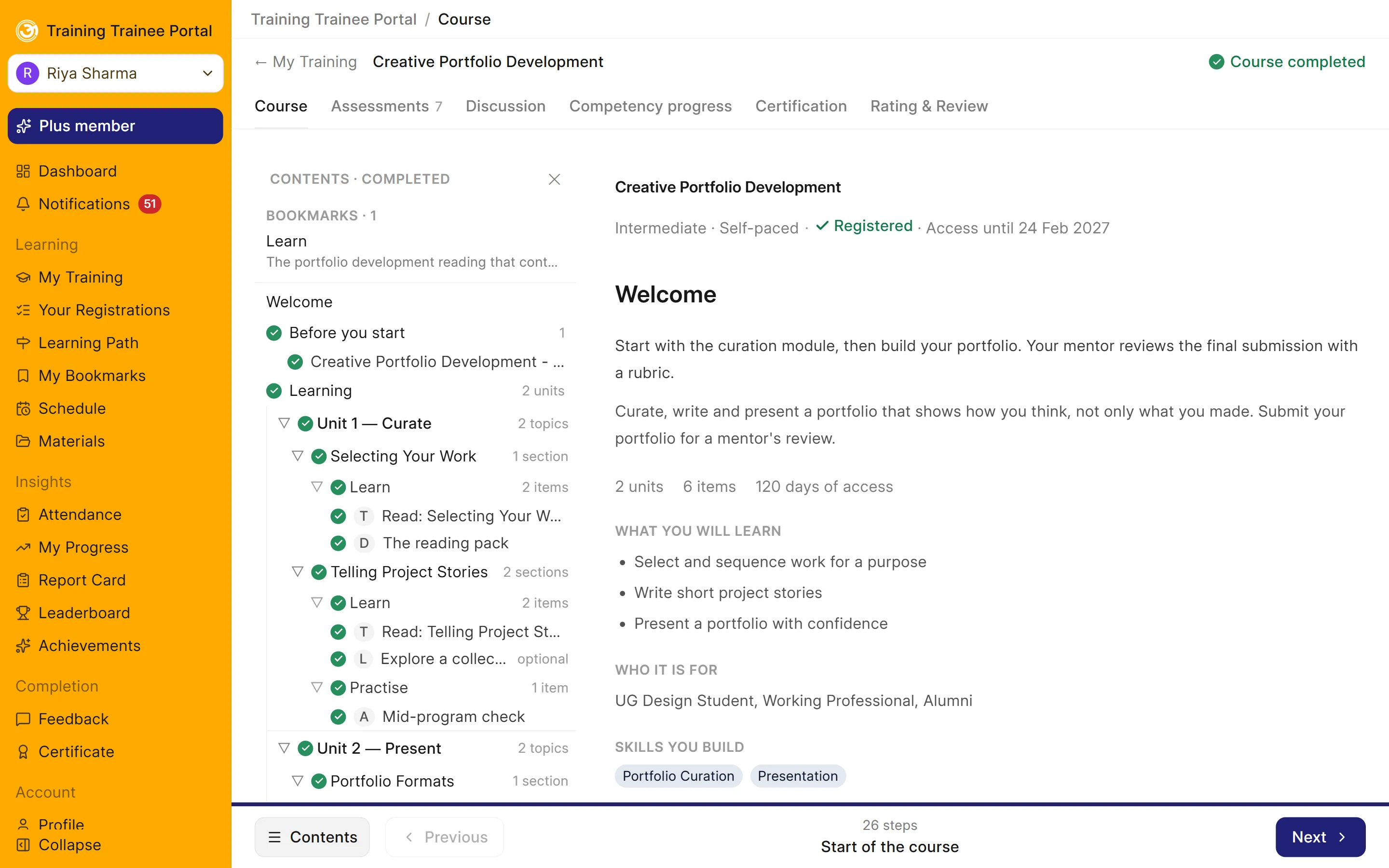
A learner's course: units, topics, sections and items with completion ticks, and tabs for assessments, discussion, competency and certification

Course Builder

Create and organise courses using a structured hierarchy of days or units, topics, sections and learning items.

  • Add text, videos, documents, web links and SCORM packages
  • Link topics to specific skills and competency levels
  • Preview courses from the learner's perspective before publishing
  • Create new course versions without affecting learners using the existing version
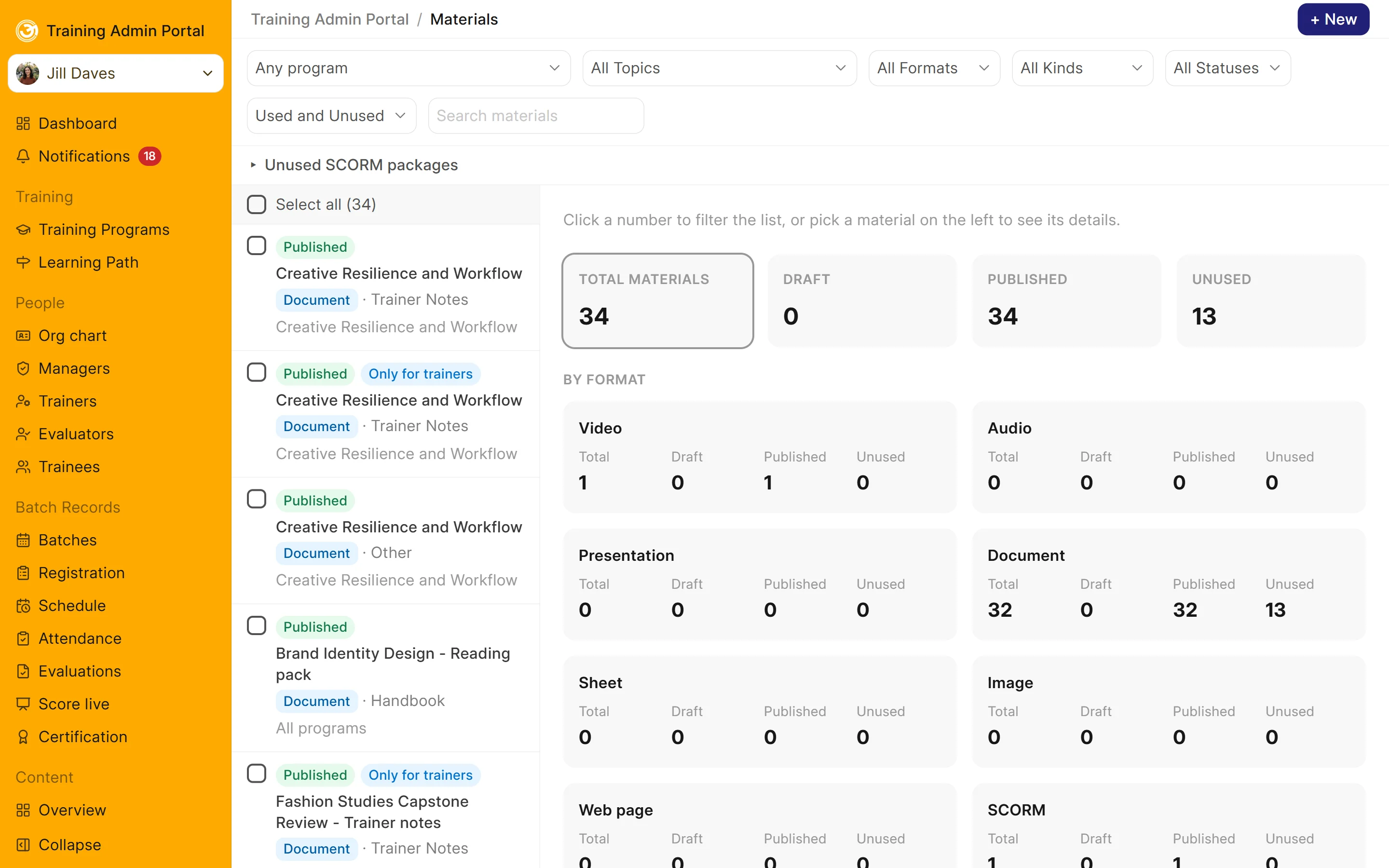
The Materials library: every document, video and package with its status, kind and program, and counts by format

Content Library

Manage learning resources in one shared library and reuse them across multiple courses.

  • Store videos, documents, presentations and SCORM packages
  • Upload materials once and reuse them across courses
  • Support SCORM 1.2 and SCORM 2004, with learner scores and progress recorded
  • Keep selected materials accessible only to trainers
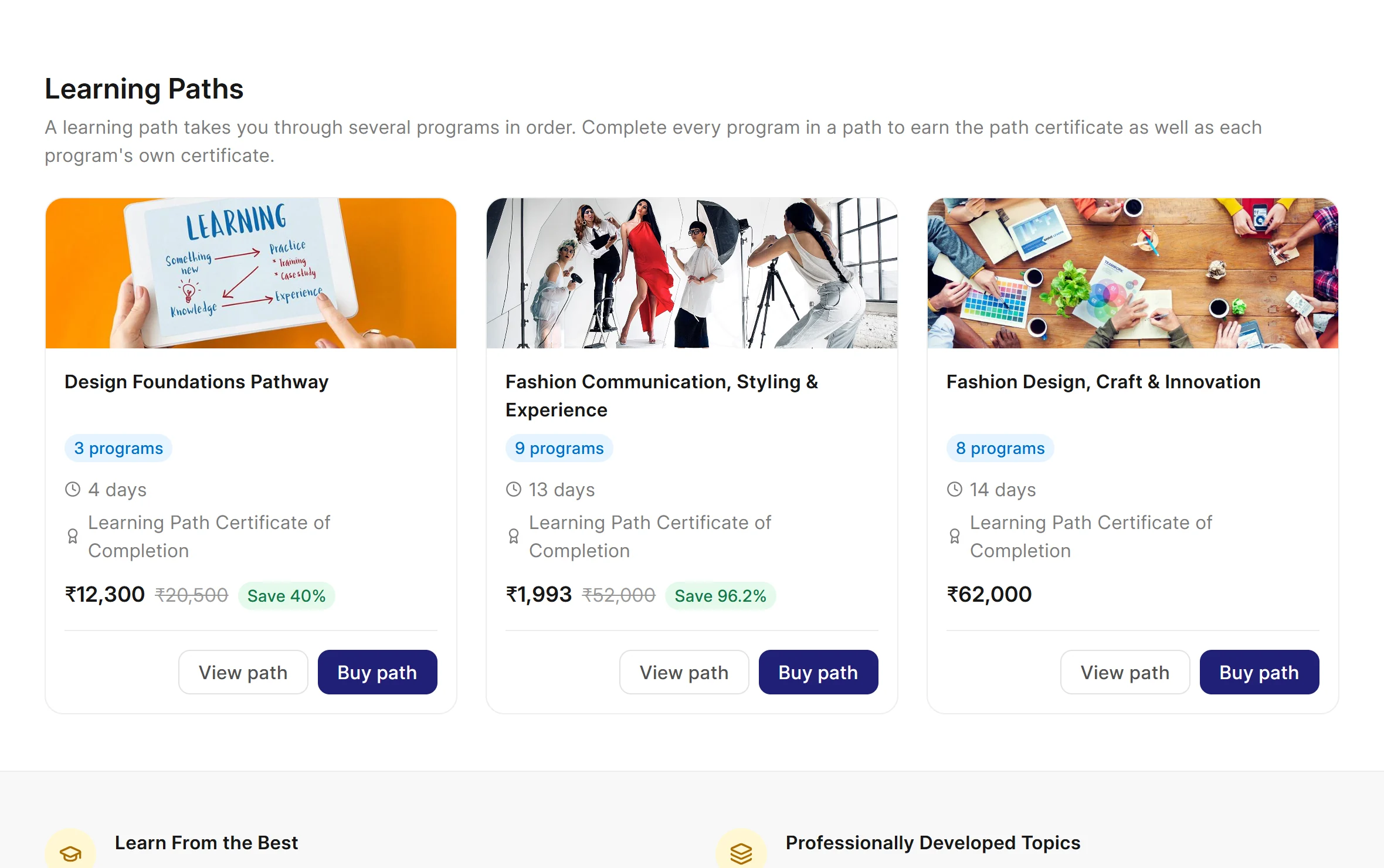
Three learning paths, each with its programs, days, path certificate and path price

Learning Paths

Combine multiple courses into a structured learning journey.

  • Arrange courses into a defined sequence
  • Let learners track completed, in-progress and upcoming courses
  • Issue a separate certificate for completing the entire learning path
  • Offer bundled pricing, accounting for courses learners have already completed

Assessment & Evaluation

Create assessments, evaluate performance and measure learning outcomes.

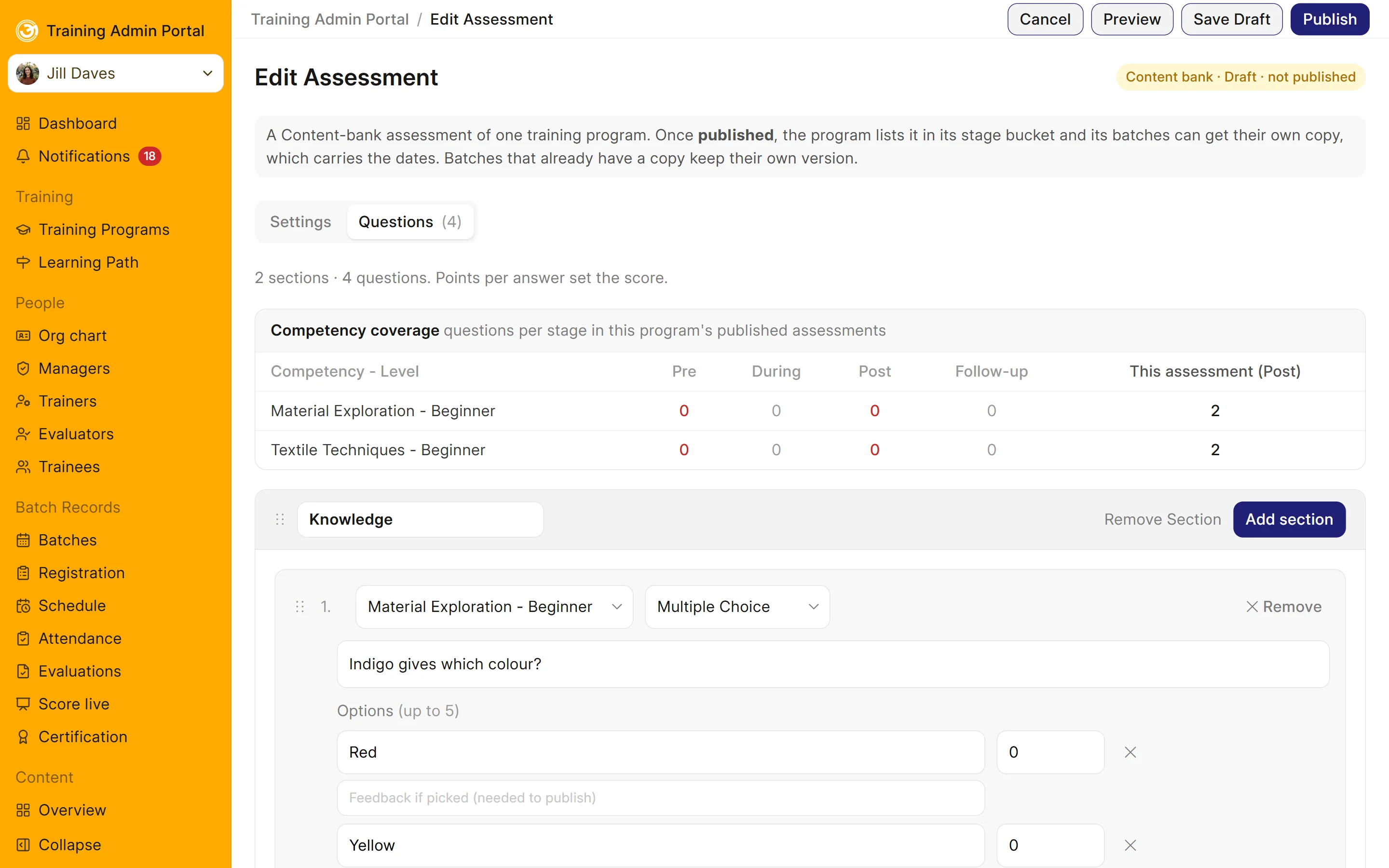
The assessment editor: sections, questions linked to competencies, points per answer and competency coverage by stage

Assessment Builder

Create assessments and practical tasks for different stages of a learning programme.

  • Use Multiple Choice, Multi-select, Yes/No, Short Text, Rating Scale, File Upload, Fill in the Blanks and Match the Following questions
  • Configure Pre, Post and Follow-up assessments, including attempts and pass marks
  • Use rubrics to evaluate practical work, either by an evaluator or during a live session
  • Import questions in bulk using CSV files
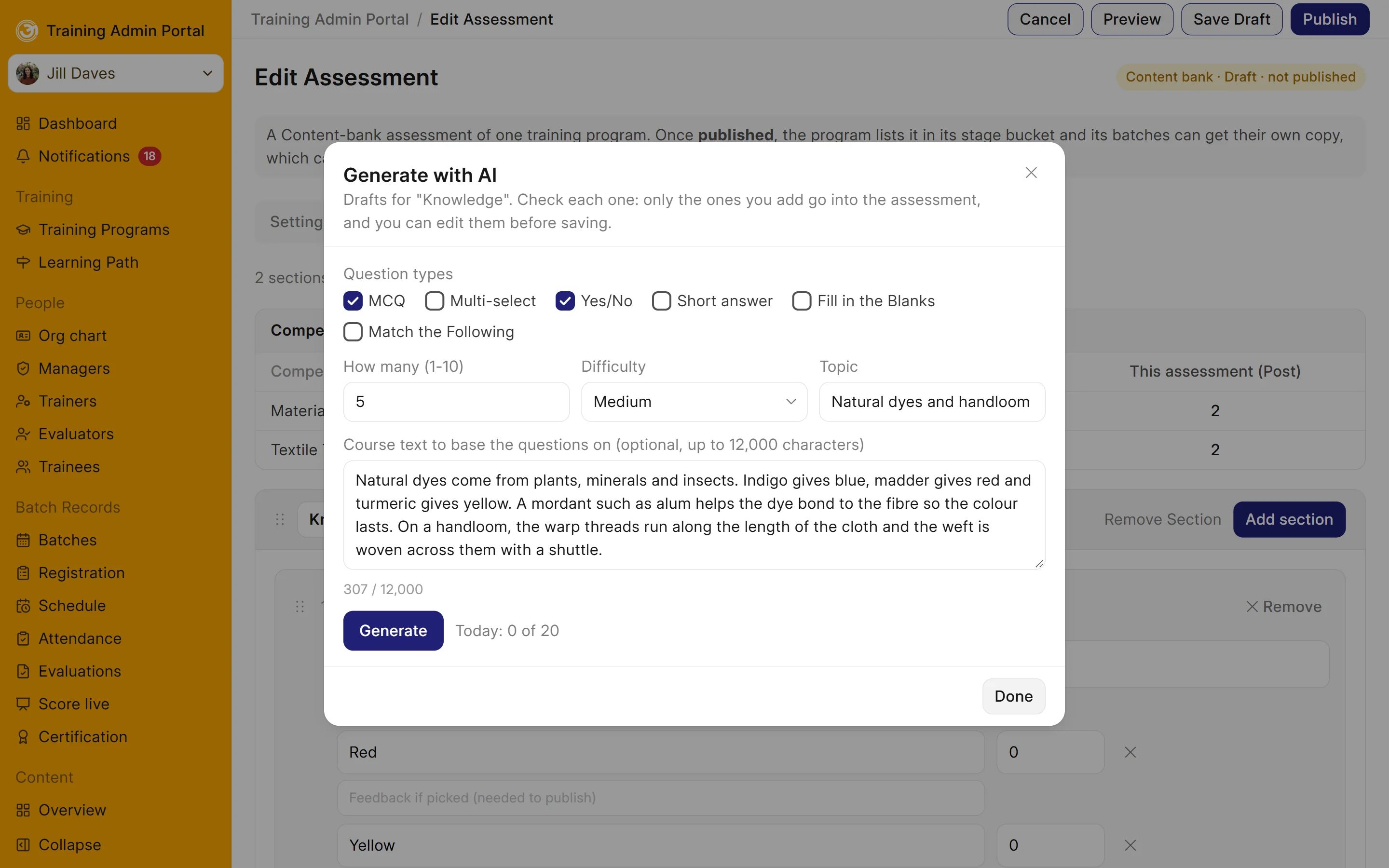
The Generate with AI window: question types, how many, difficulty, topic and course text to base the questions on
New · Add-on

AI Assessment Generator

Generate assessment questions using AI to support assessment development.

  • Choose OpenAI, Google Gemini or Anthropic Claude using your own account
  • Generate questions based on course content
  • Send course content for generation without sending learner data
  • Review and edit generated questions before saving them
  • Manage usage through daily and monthly limits and activity logs

Course Distribution & Enrolment

Publish courses, reach learners and manage registrations and payments.

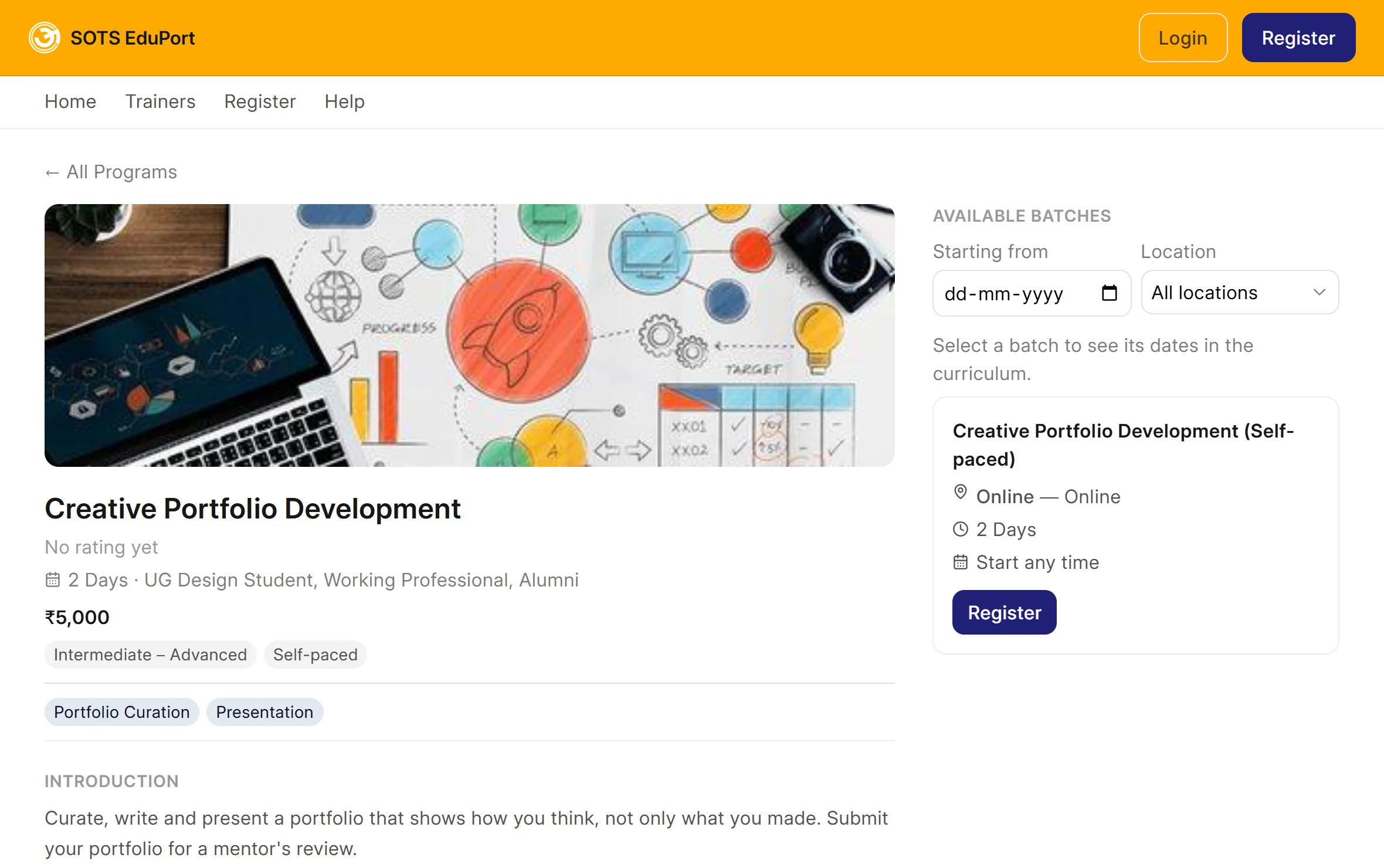
A public course page with its introduction, price, level, format and available batches

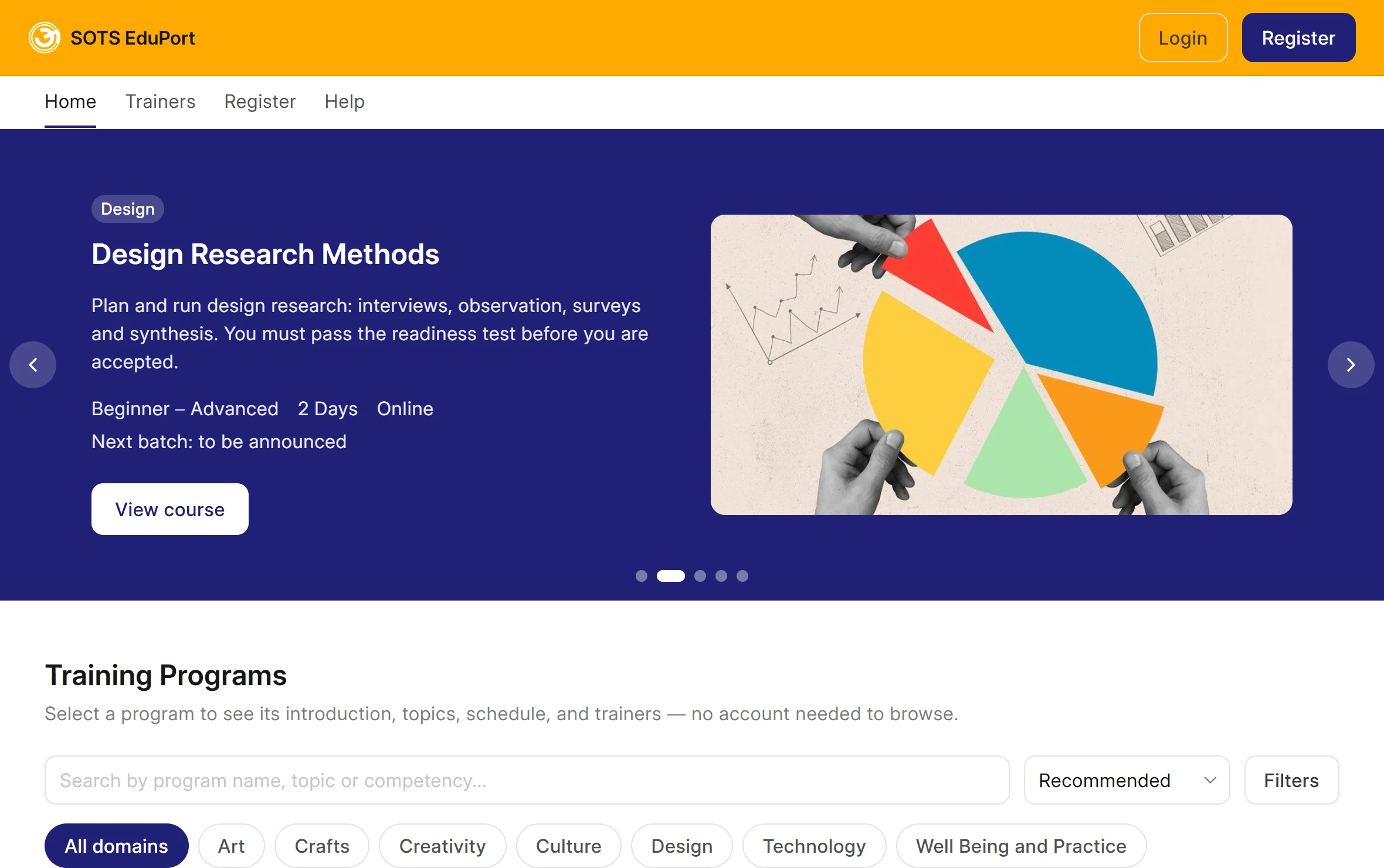
Course Website

Publish a public course catalogue under your organisation's brand.

  • Create individual course pages with outcomes, skills, levels, schedules and introduction videos
  • Display trainer profiles, course ratings and reviews
  • Allow visitors to search courses by topic or skill
  • Configure the homepage carousel to highlight selected courses
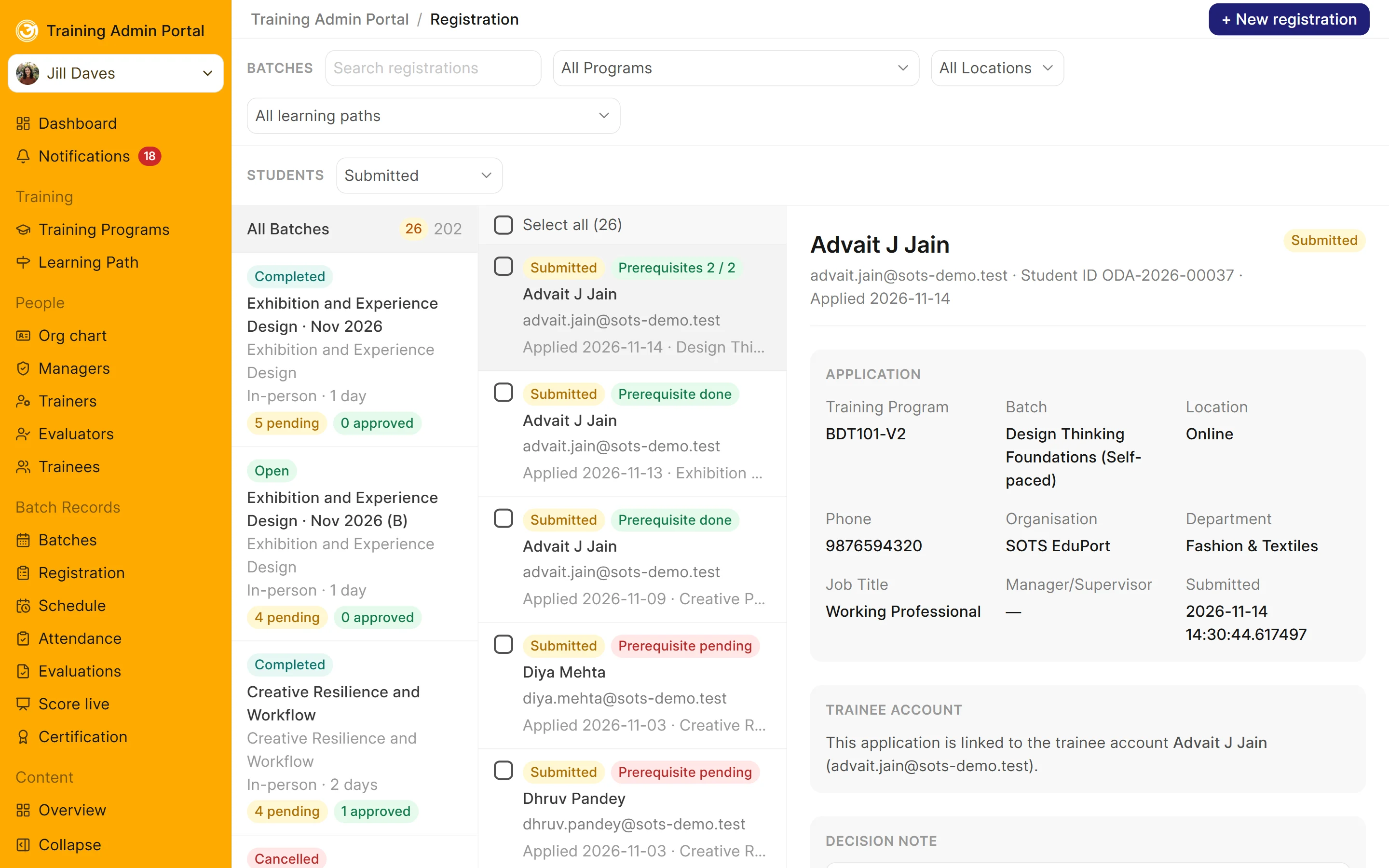
Registrations waiting for approval, with each application's details and prerequisite status

Enrolment & Approvals

Manage learner registrations and control access to courses and batches.

  • Allow learners to register themselves or enable managers to add them
  • Approve, waitlist or reject registrations in bulk
  • Manage enrolments according to available seat limits
  • Move learners between batches
  • Configure withdrawal and refund periods
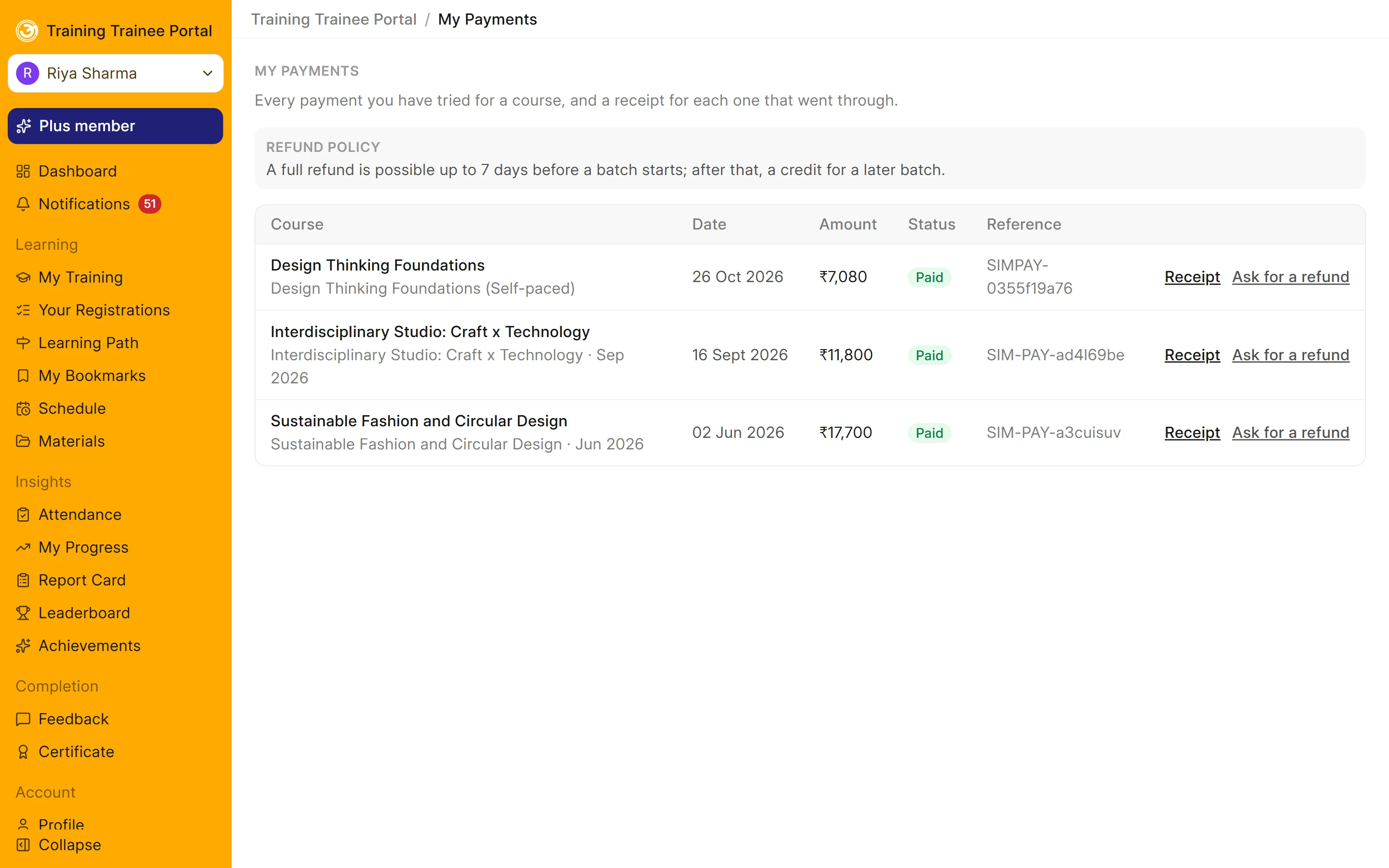
A learner's payments with receipts, refund requests and the refund policy

Finance Control Center

Manage course pricing, payments and financial transactions from one place.

  • Set prices and time-limited offers for courses and learning paths
  • Create discount coupons and promotional codes
  • Configure monthly memberships that cover course fees
  • Manage refund requests and issue receipts
  • Track transactions and view financial information through a dedicated dashboard
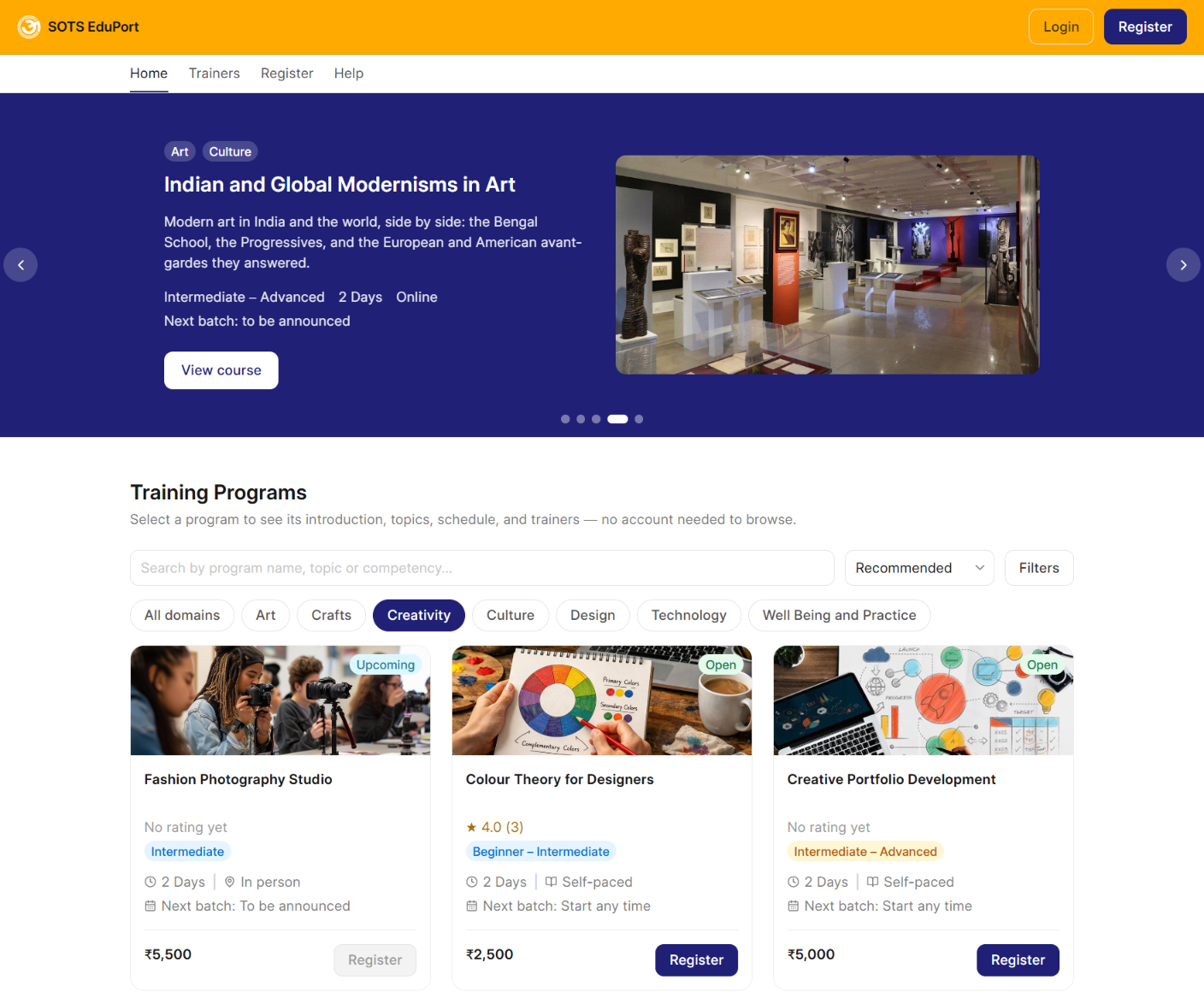
The SOTS EduPort course catalogue: featured course banner, search and domain filters, and the training programs listed with price and status
New

Learning Marketplace

Connect your courses with a wider learning marketplace.

  • List your own courses for other organisations or public learners
  • Aggregate courses from external providers alongside your own courses
  • Manage course listings and pricing
  • Set revenue-sharing arrangements for individual listings

Learning Delivery & Engagement

Deliver learning through different formats and support learners throughout their journey.

Courses offered in person, online, hybrid and self-paced, side by side

Blended Delivery

Deliver courses through self-paced, live or hybrid learning formats.

  • Choose the delivery format for each course
  • Schedule live sessions with dates, times, venues and trainers
  • Conduct live classes using SOTS Connect or create Zoom meeting links
  • Record session attendance as Present, Late, Absent or Excused
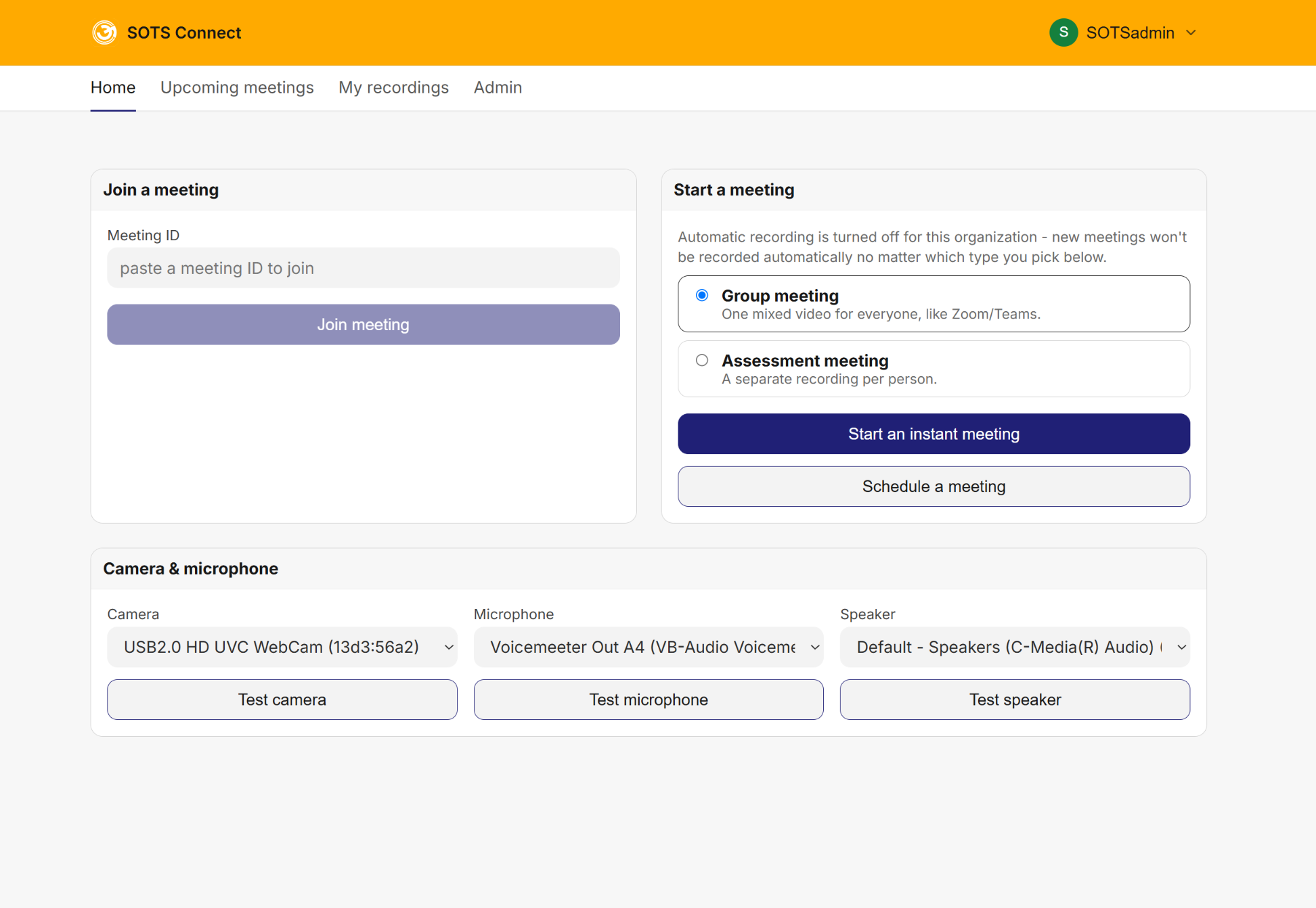
SOTS Connect: join or start a meeting, choose Group or Assessment meeting, and test the camera, microphone and speaker
New · Add-on

SOTS Connect

Conduct live online classes through an integrated browser-based meeting tool.

  • Conduct live video sessions between trainers and learners
  • Record the complete session using Group Recording
  • Record each participant separately using Individual Recording, linked to their login
  • Allow trainers to review individual learner recordings while learners can access only their own recordings
  • View attendance details, including who attended, who left early and who was muted
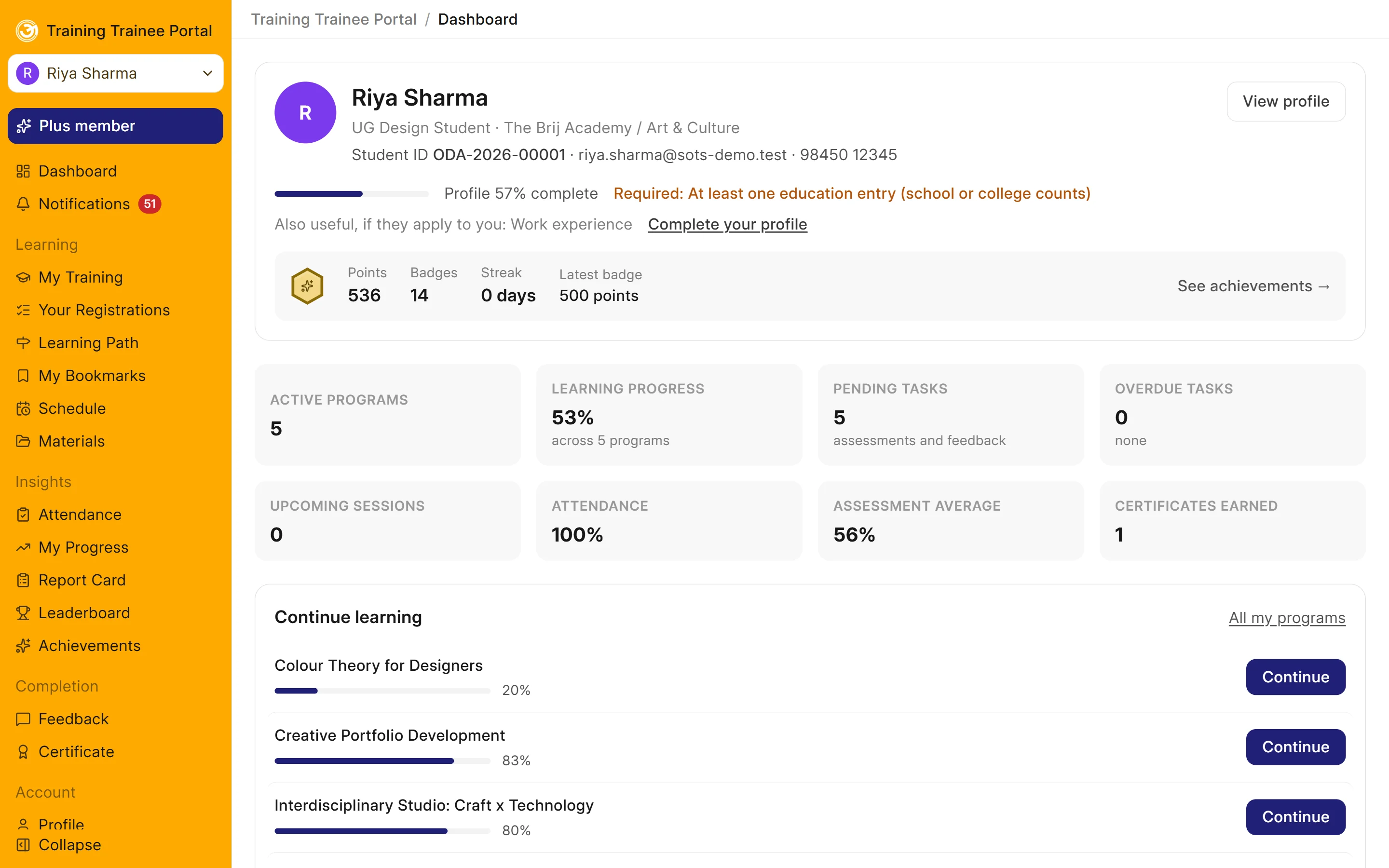
The learner dashboard: points and badges, active programs, progress, pending tasks, attendance, assessment average and certificates

Learner Portal

Give every learner a central place to access courses, activities and learning records.

  • View courses, schedules and upcoming tasks from a personal dashboard
  • Track course progress through progress indicators
  • Use bookmarks and notes while learning
  • Maintain a learner profile with documents and certifications
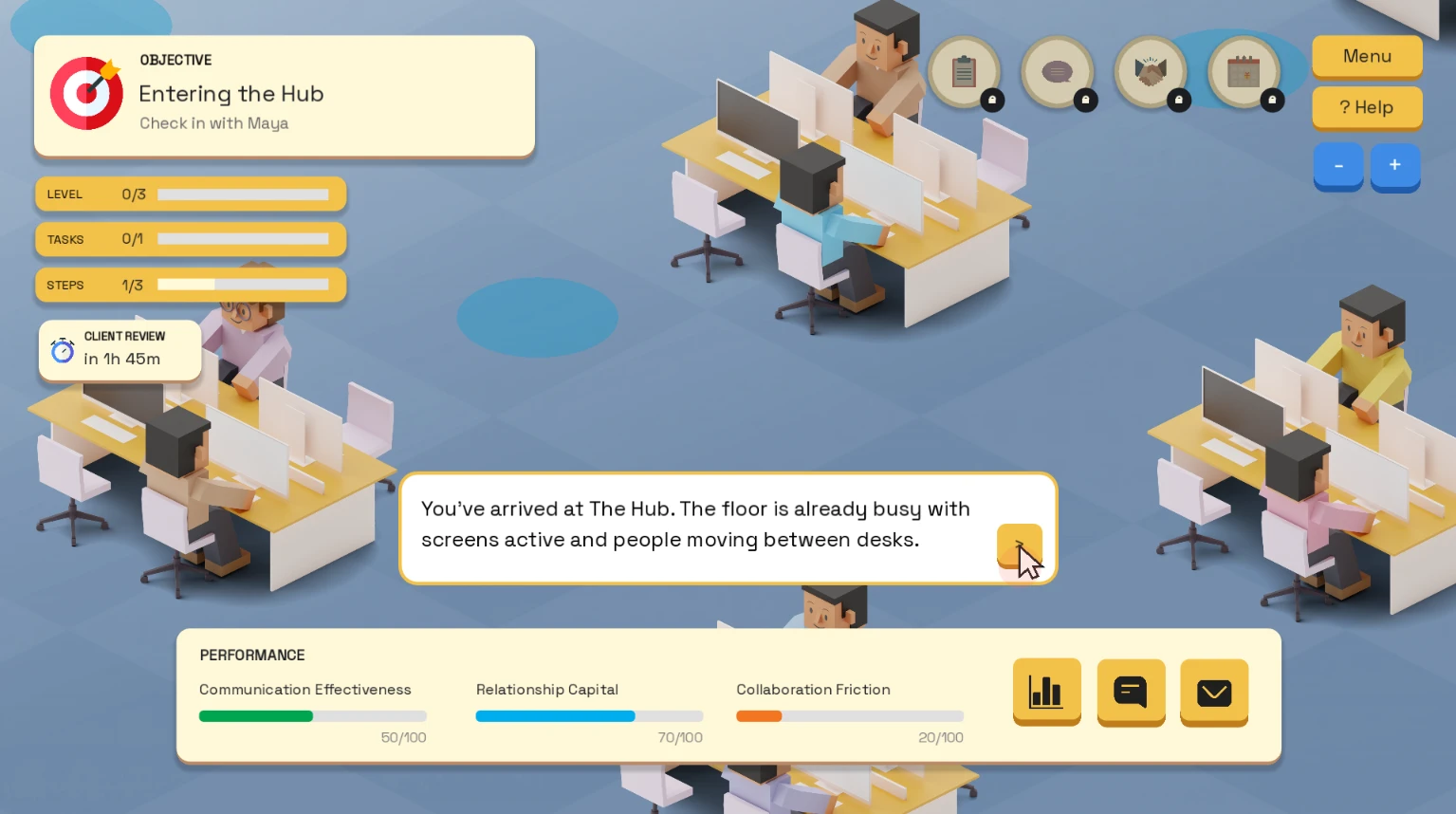
A real-world office scenario simulation: an objective card, level/task/step progress, a timed client review, a dialogue prompt, and live performance meters for Communication Effectiveness, Relationship Capital and Collaboration Friction
Add-on

Game Engine

Build real-world scenario simulations where learners practice decisions, explore different outcomes and develop practical skills through interactive experiences.

  • Simulate real workplace situations - client meetings, team conflicts, difficult conversations - as interactive, objective-driven scenarios
  • Track in-scenario performance such as communication effectiveness, relationship capital and collaboration friction, not just a pass/fail score
  • Objectives, timed events and step-by-step tasks keep each scenario realistic and goal-driven
  • Quick to build from reusable characters, locations and dialogue - not a full game-development project
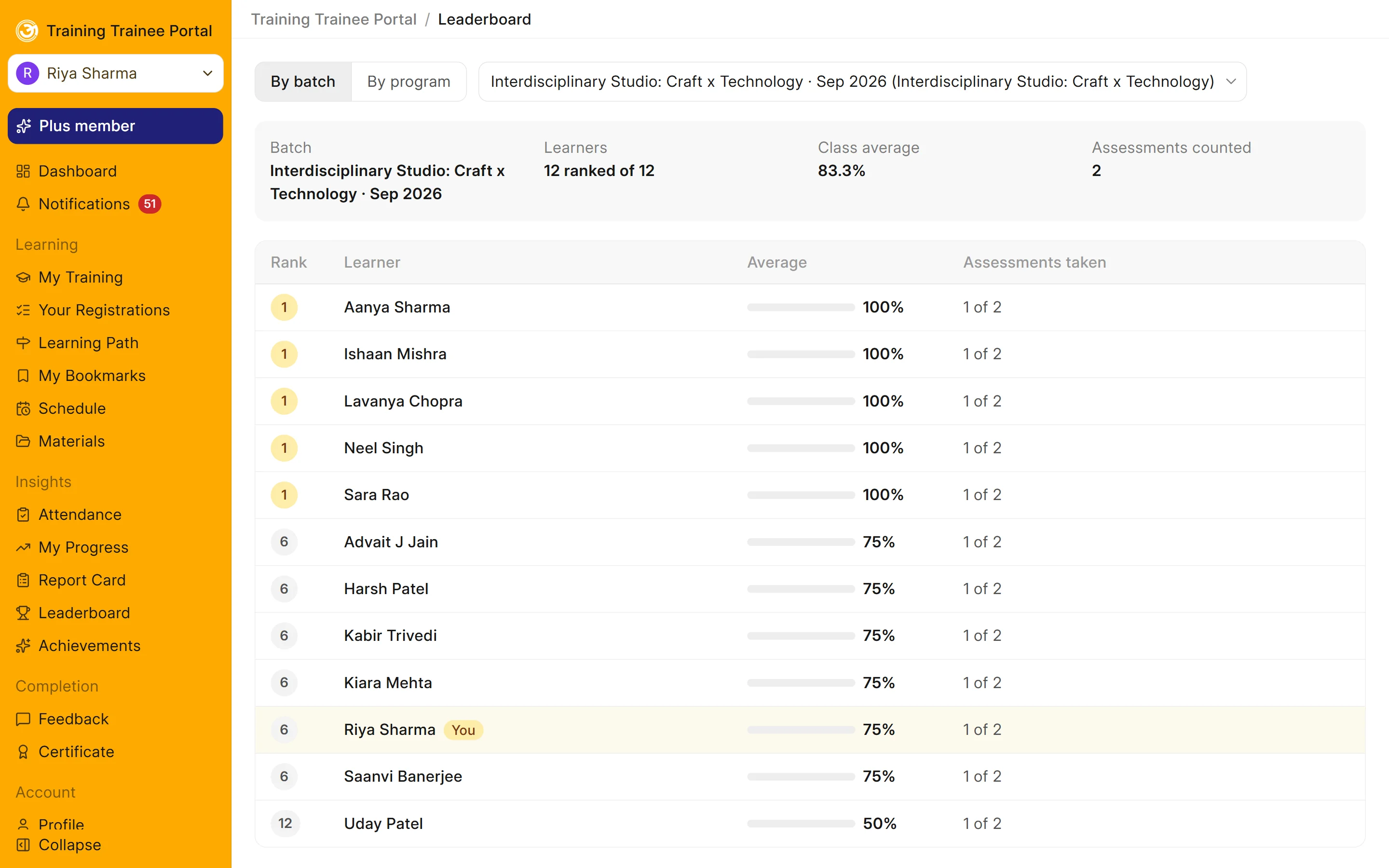
A batch leaderboard ranking learners by their assessment average

Gamification

Use game-based rewards to encourage learner participation and engagement.

  • Award points for completing lessons, attending sessions and passing assessments
  • Configure and publish badges and achievements
  • Track learning streaks
  • Display leaderboards to recognise learner participation and performance
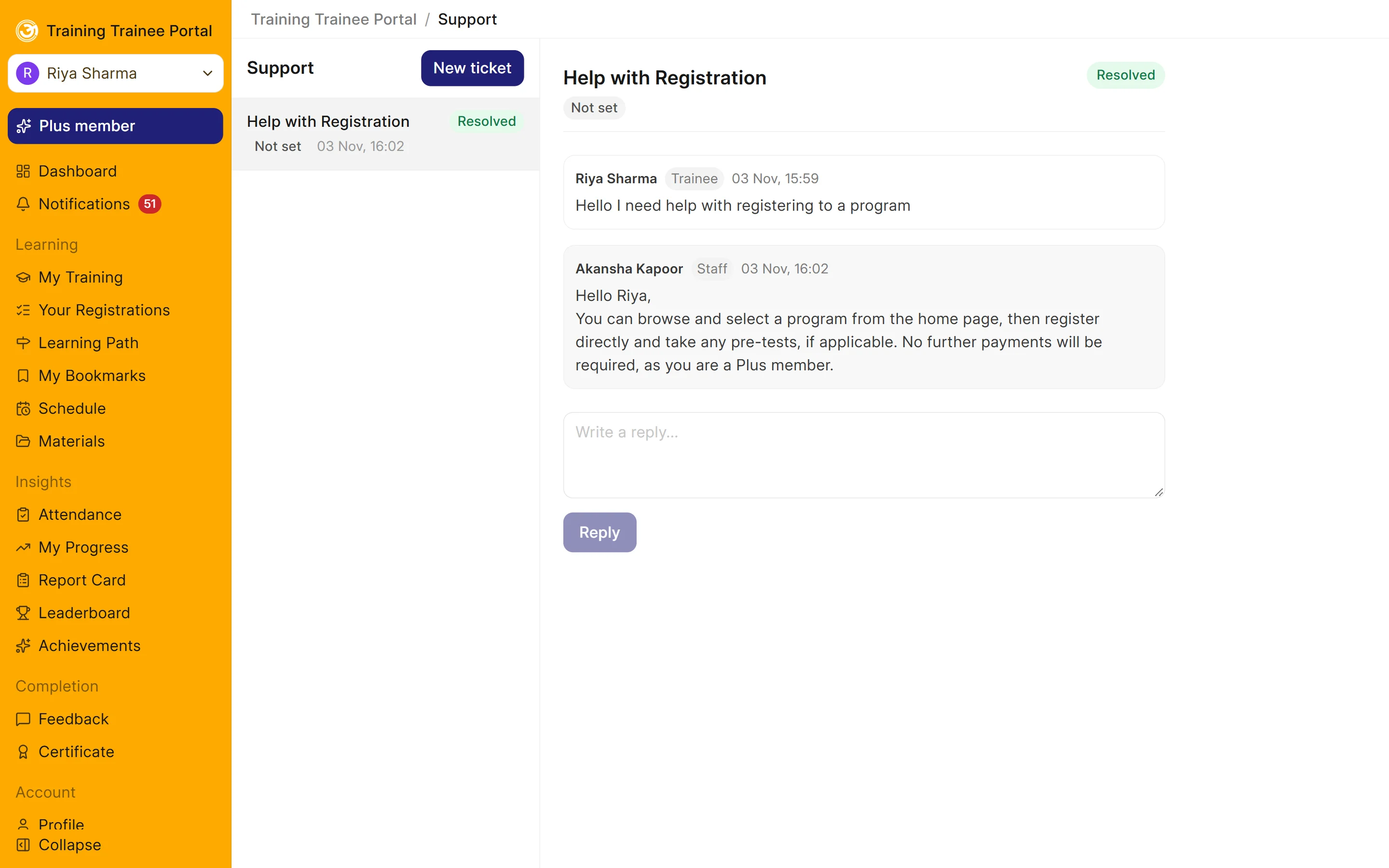
A support ticket with the learner's question and the staff reply

Communication & Support

Keep learners, trainers and administrators informed and connected.

  • Send in-app and email notifications
  • Provide reminders before scheduled classes
  • Send SMS and WhatsApp messages through your own service provider
  • Support batch-level discussions through forums
  • Manage learner queries through support tickets
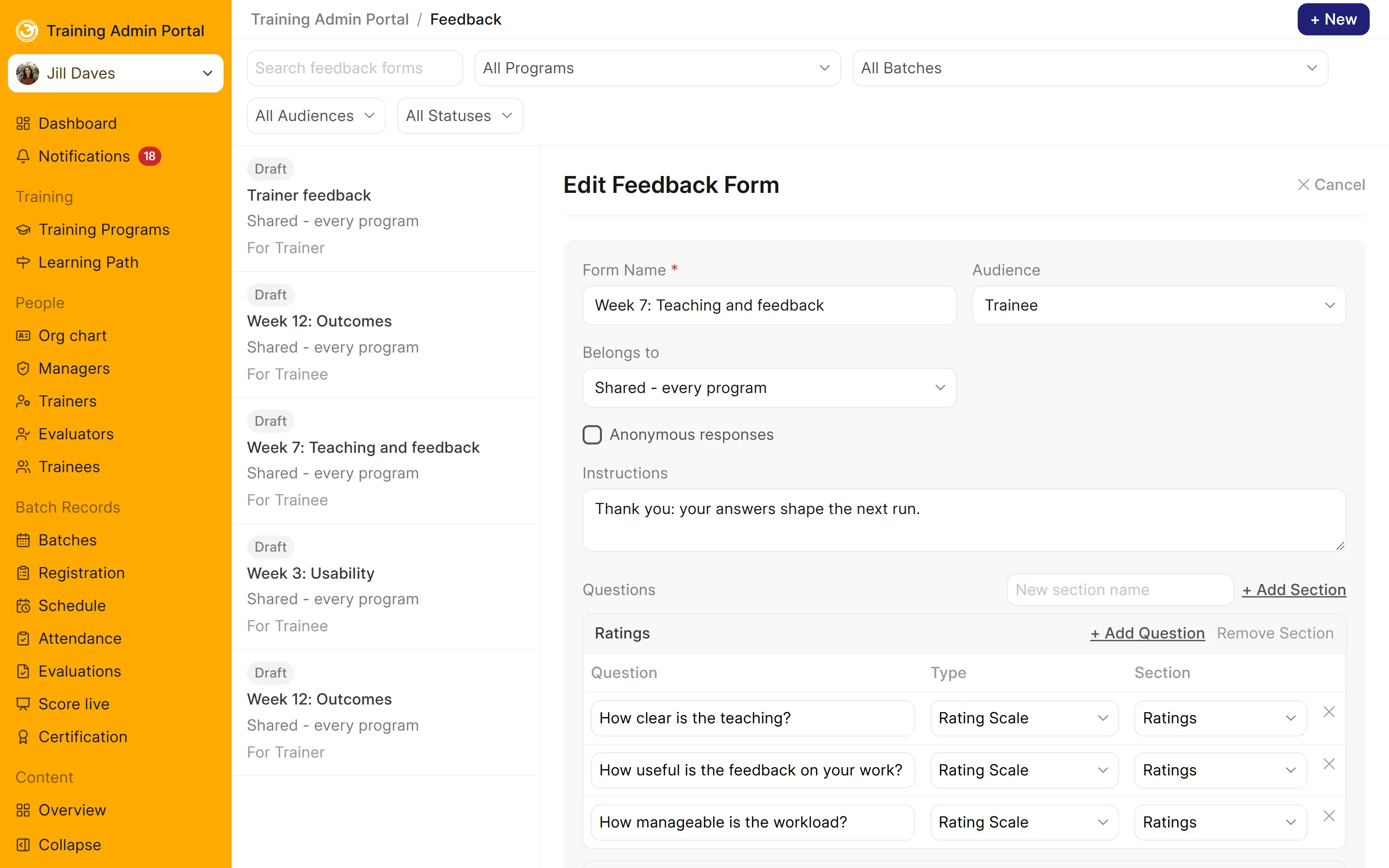
A feedback form being set up: rating-scale questions in sections, the audience and an option for anonymous responses

Feedback, Ratings & Surveys

Collect feedback from learners, trainers and other stakeholders.

  • Create feedback forms for learners and trainers
  • Collect course and trainer ratings
  • Manage and moderate course reviews
  • Conduct customer satisfaction surveys through public links

Competency, Certification & Analytics

Measure development, recognise achievements and monitor learning outcomes.

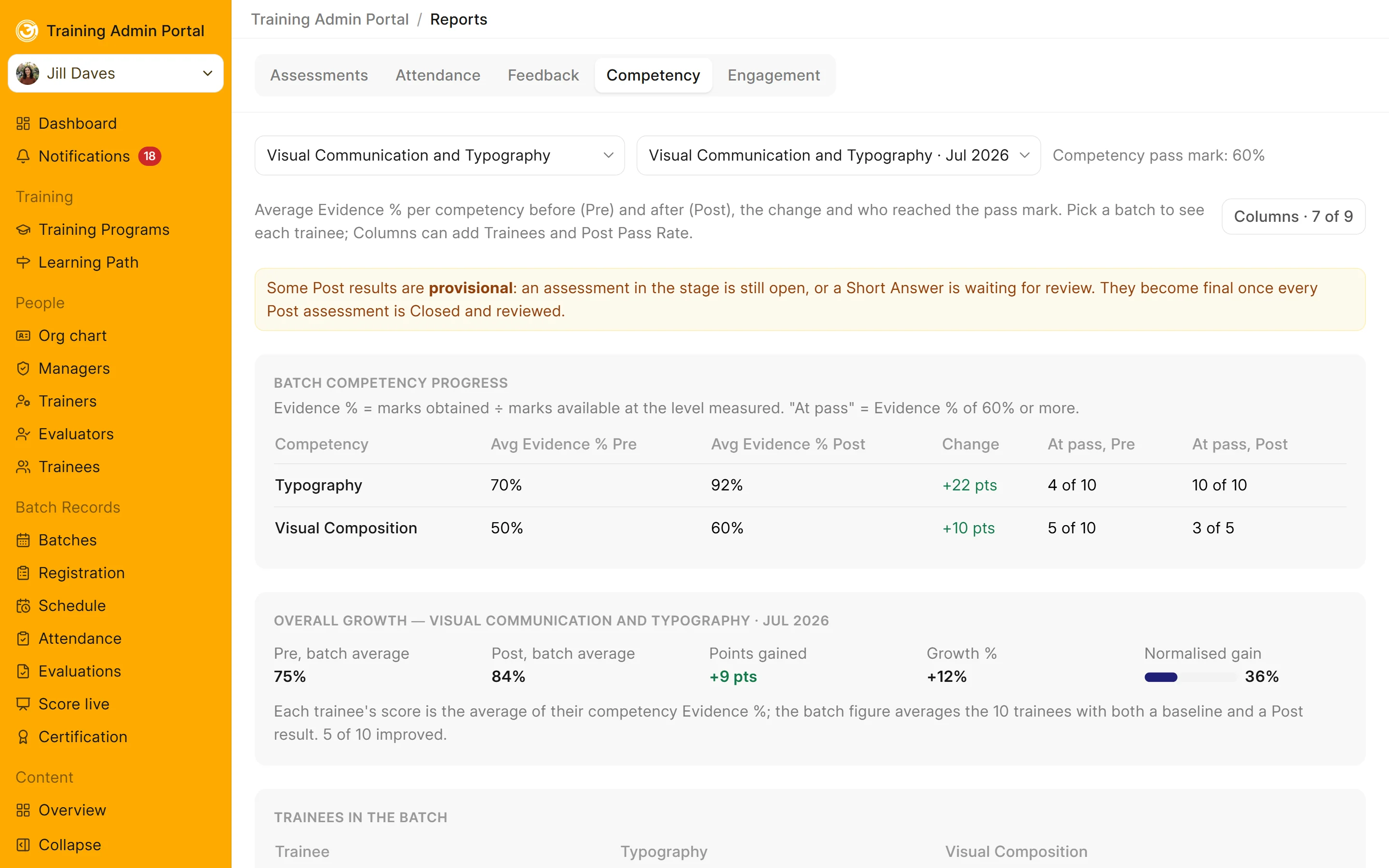
Batch competency progress: Typography up from 70% to 92% and Visual Composition from 50% to 60%, with the batch's overall growth

Competency Tracker

Define competency frameworks and monitor learner development through assessments.

  • Configure your own competency framework using skills, levels and domains
  • Link course topics and assessment questions to specific competencies
  • Establish baseline competency levels through pre-assessments
  • Measure progress through post-assessments and follow-up assessments
  • Provide suggestions for each learner's next learning activity
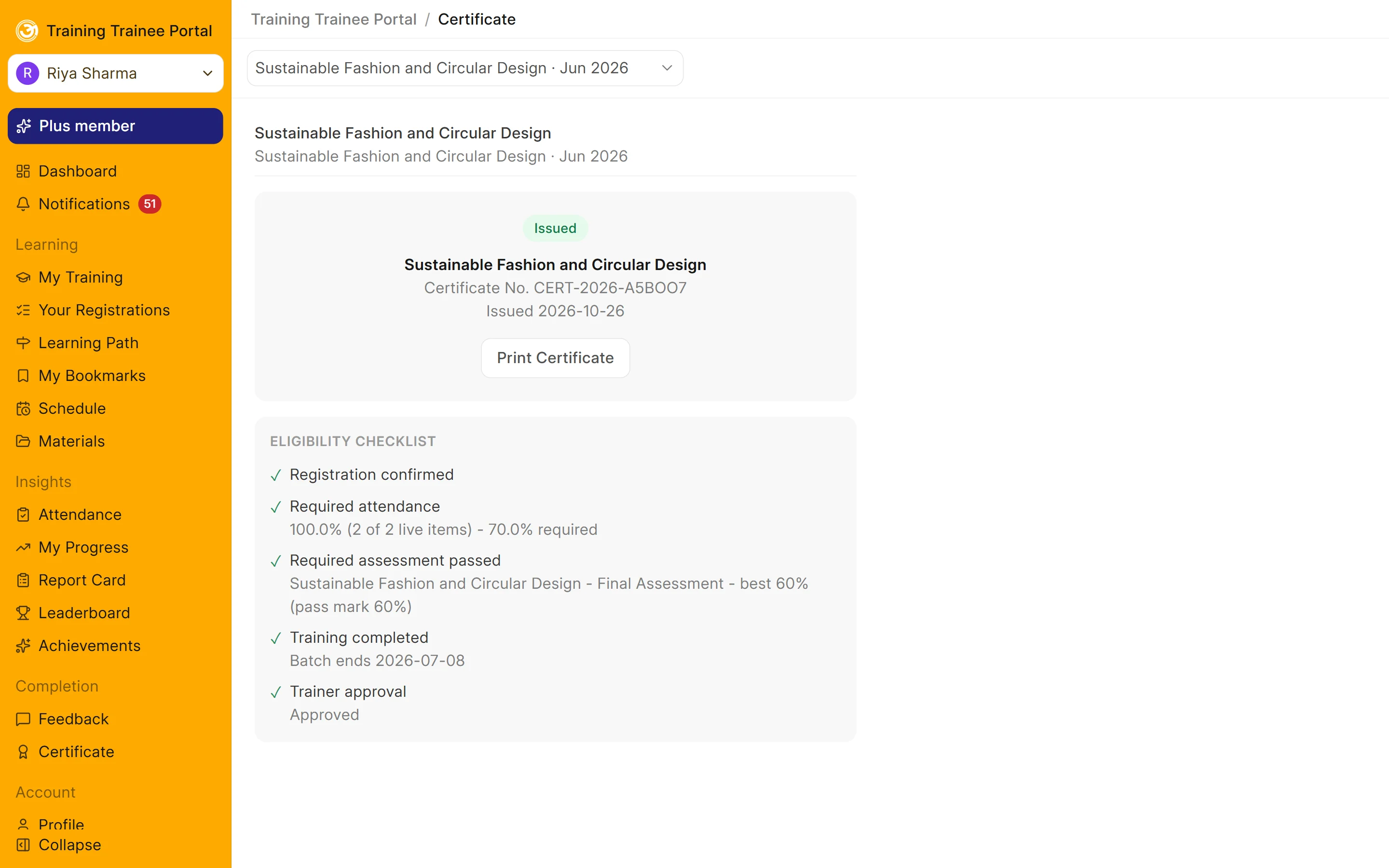
An issued certificate with its number and the eligibility checklist it met

Certification

Manage certificates for individual courses and complete learning paths.

  • Configure certificate eligibility based on assessment results and attendance
  • Allow trainers to approve certificates or issue them automatically
  • Manage certificate expiry and renewal
  • Provide shareable certificate links and downloadable certificate images
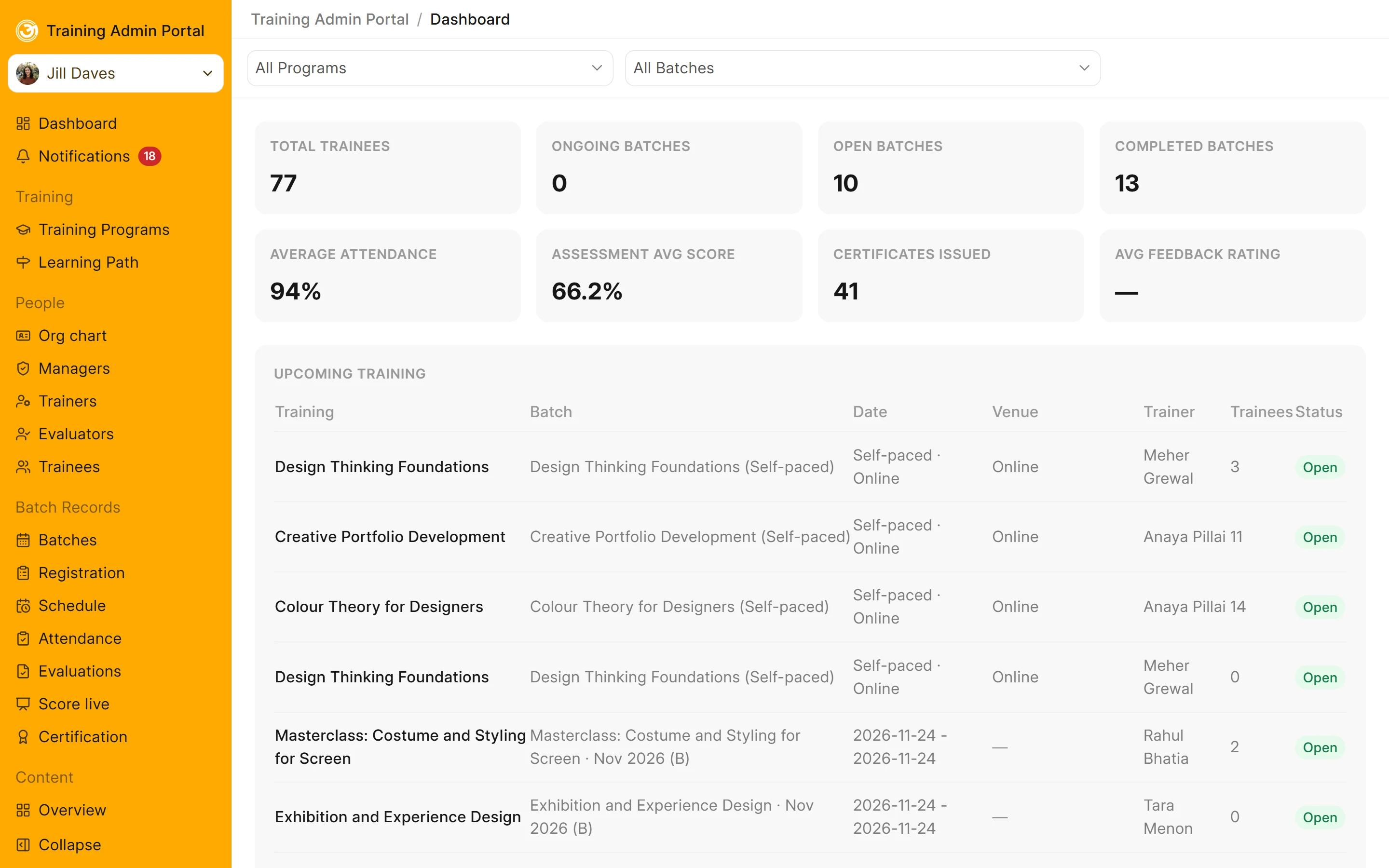
The admin dashboard: trainees, batches, attendance, assessment scores, certificates and upcoming training

Reports & Analytics

Access learning and operational reports through role-based dashboards.

  • Provide dashboards for administrators, managers, trainers, finance teams and learners
  • View attendance, assessment and competency reports by course and batch
  • Access individual learner report cards
  • Share learner report cards through links

Platform Management & Integrations

Configure the platform, manage access and connect existing tools.

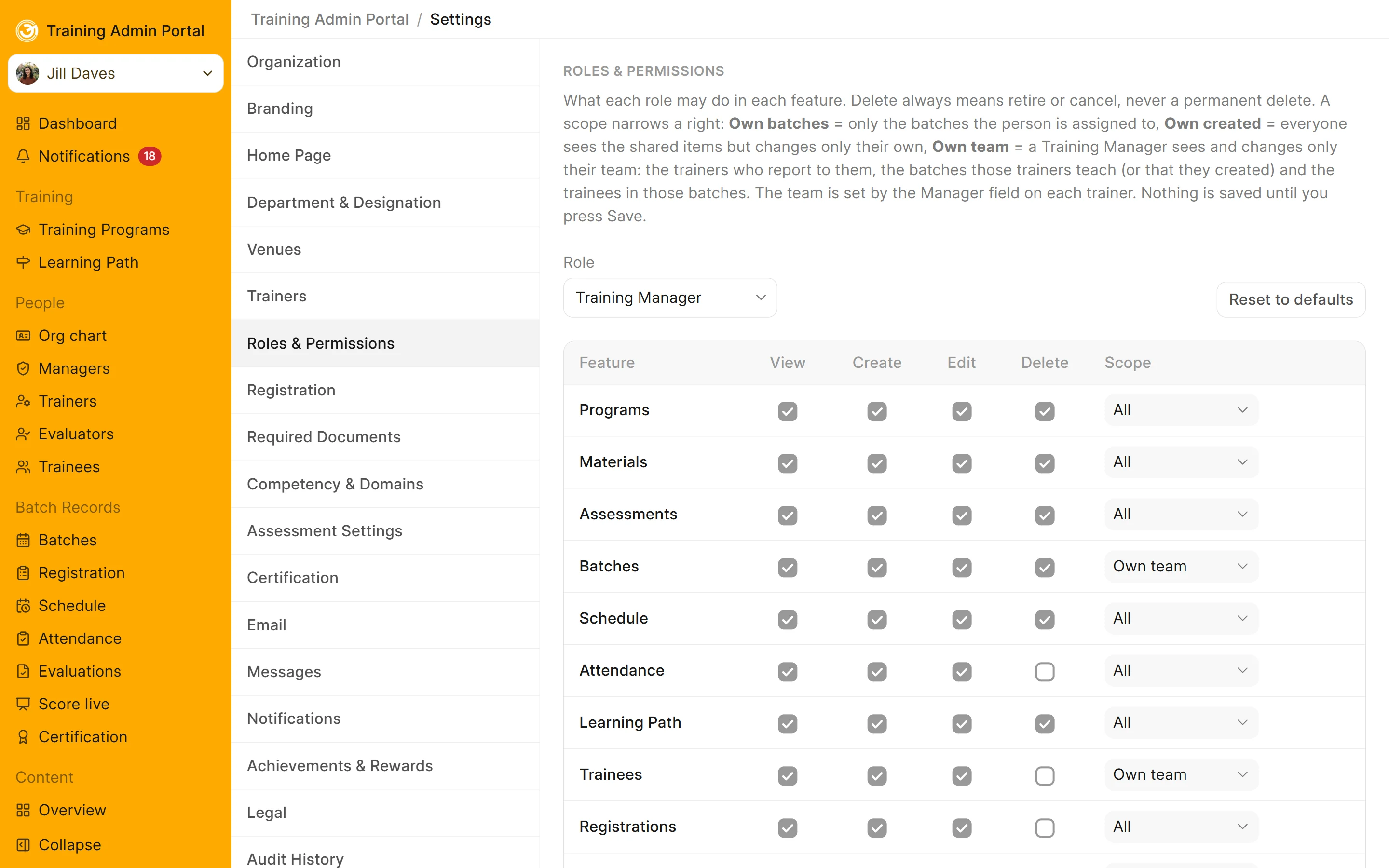
Roles and permissions: view, create, edit and delete rights for each feature, with a scope for each role

Roles & Permissions

Control access to platform features based on organisational roles.

  • Provide dedicated portals for different roles
  • Support Admin, Manager, Trainer, Evaluator, Finance and Learner roles
  • Configure what each role can view and do
  • Maintain an organisational chart and a history of changes
The course website in SOTS EduPort's own name, logo and colours

Enterprise Branding

Apply your organisation's identity across the learning platform.

  • Customise the branding across portals and the public course website
  • Apply your branding to certificates using customised templates
  • Configure branded emails, signatures and templates
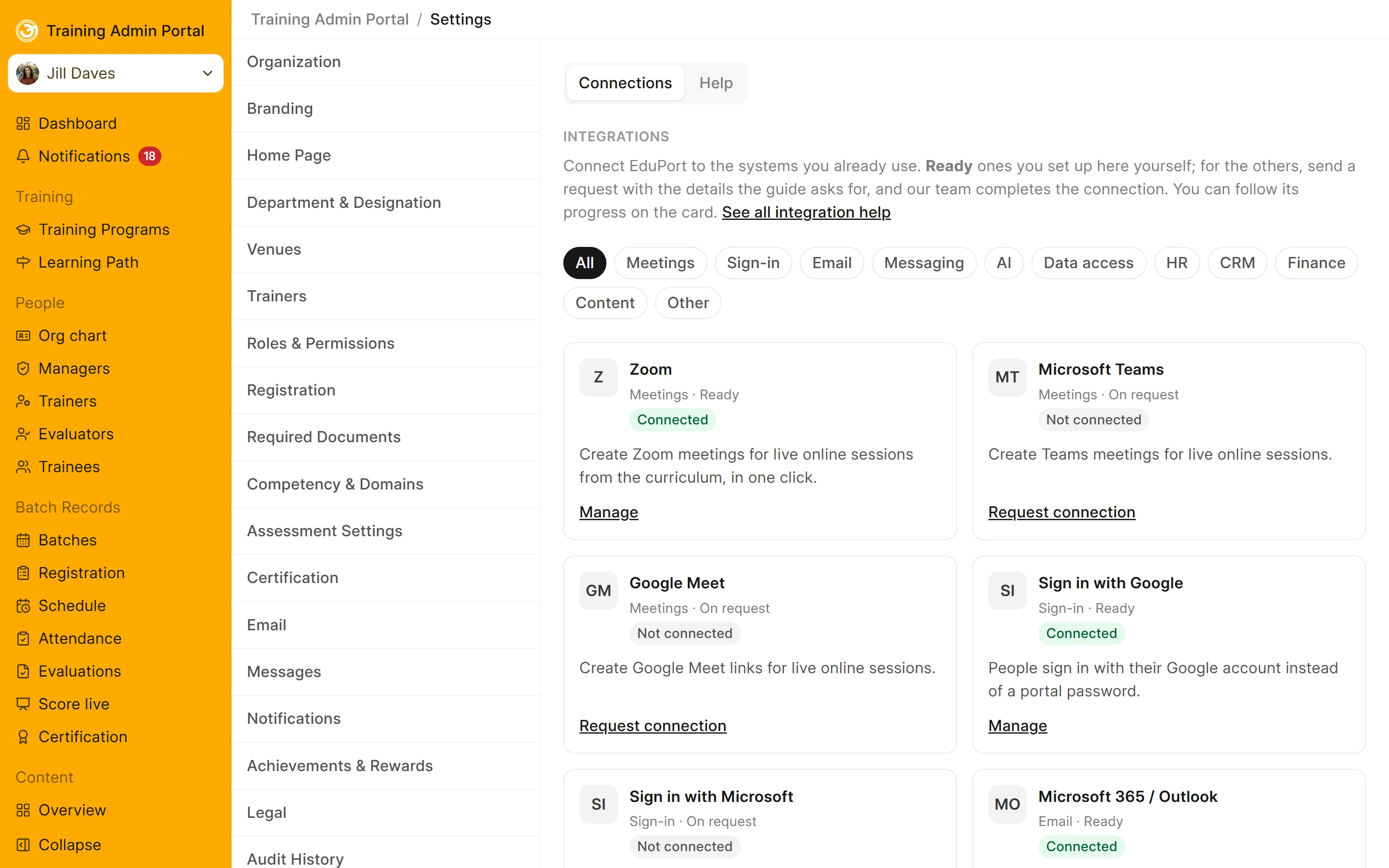
Integrations: Zoom, Microsoft Teams, Google Meet, Google and Microsoft sign-in, email and more

Integrations

Connect SOTS EduPort with the tools and services your organisation already uses.

  • Integrate Zoom for live sessions
  • Connect Microsoft 365 for email and Google for sign-in
  • Support SCORM and xAPI learning content
  • Connect SMS and WhatsApp service providers
  • Integrate OpenAI, Google Gemini and Anthropic Claude for AI-assisted assessment question generation

See how SOTS EduPort can support your organisation

Explore the platform through the Enterprise Early Access Programme. Experience its features with your own courses, learners and learning operations.